Roles, not chatbots
Every agent has a craft, a name, a mission and a limit. It is not a loose chat: it is someone who holds a place in the org chart and answers for it.
Augmented company
Organtia puts agents in the roles of your organisation. They have a craft, a name and a budget. They take assignments, do them and hand them over. You decide what matters.
The demo is a real installation, with the office and the roles working. We show it in a 30-minute video call: what can be delegated, which providers to connect and what it takes to get it running.
What it is
It is not an assistant waiting for your question. It is a staff that fills the roles, takes work in and answers for it.
Every agent has a craft, a name, a mission and a limit. It is not a loose chat: it is someone who holds a place in the org chart and answers for it.
You ask for something concrete and you get something concrete: a document, an analysis, an answer. With the list of what it did to get there and what it cost.
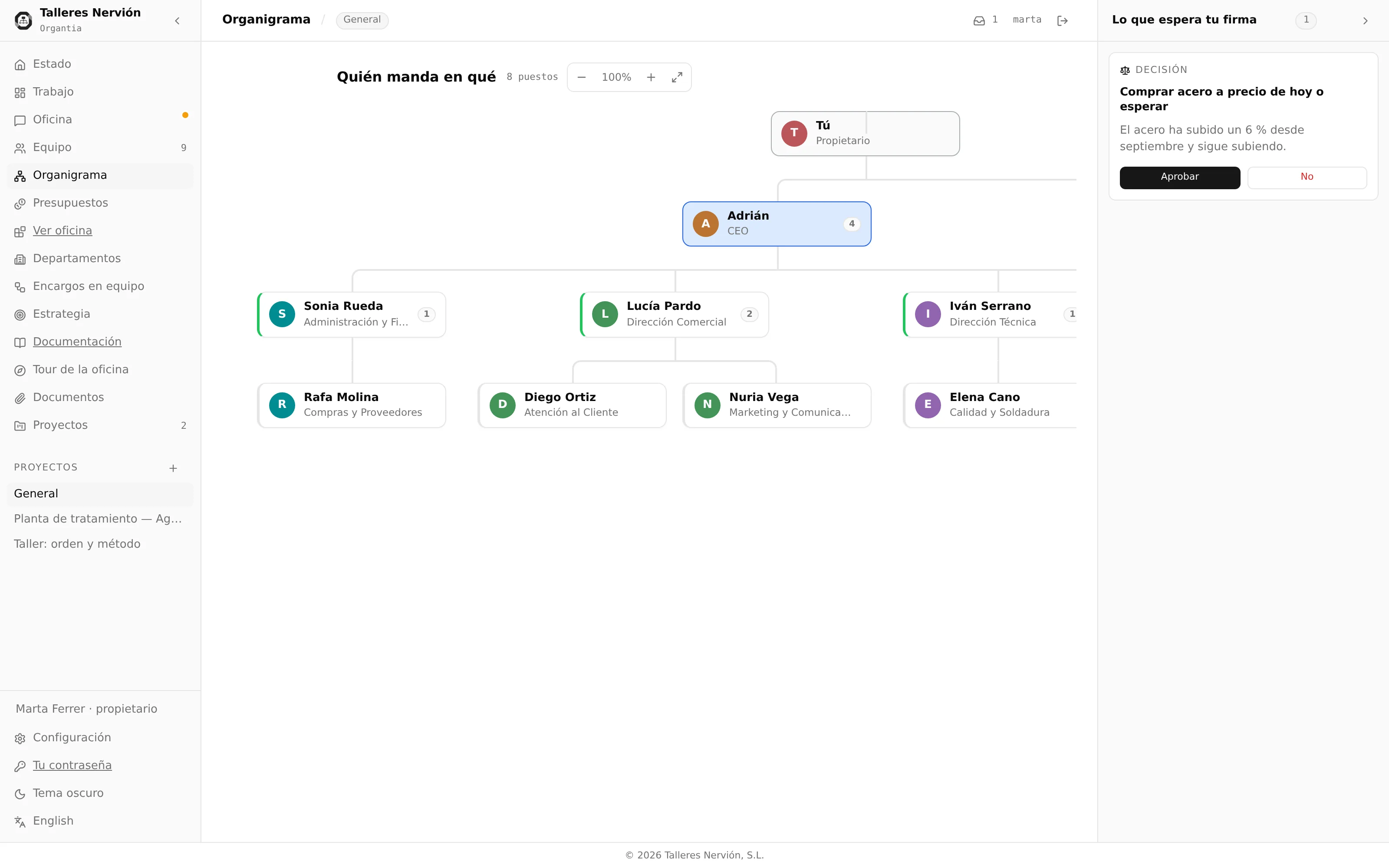
Owner, leadership, management team and members. Four levels, like a company with people: everyone knows who they report to and who can give them instructions.
Every person comes in with a role and a position. A member commands their own role and the ones below it; the owner and the CEO, all of them. And the system checks it, it does not merely suggest it.
The digital CEO takes whatever belongs to nobody in particular, splits it into tasks and sends it where it belongs. Like a company with people.
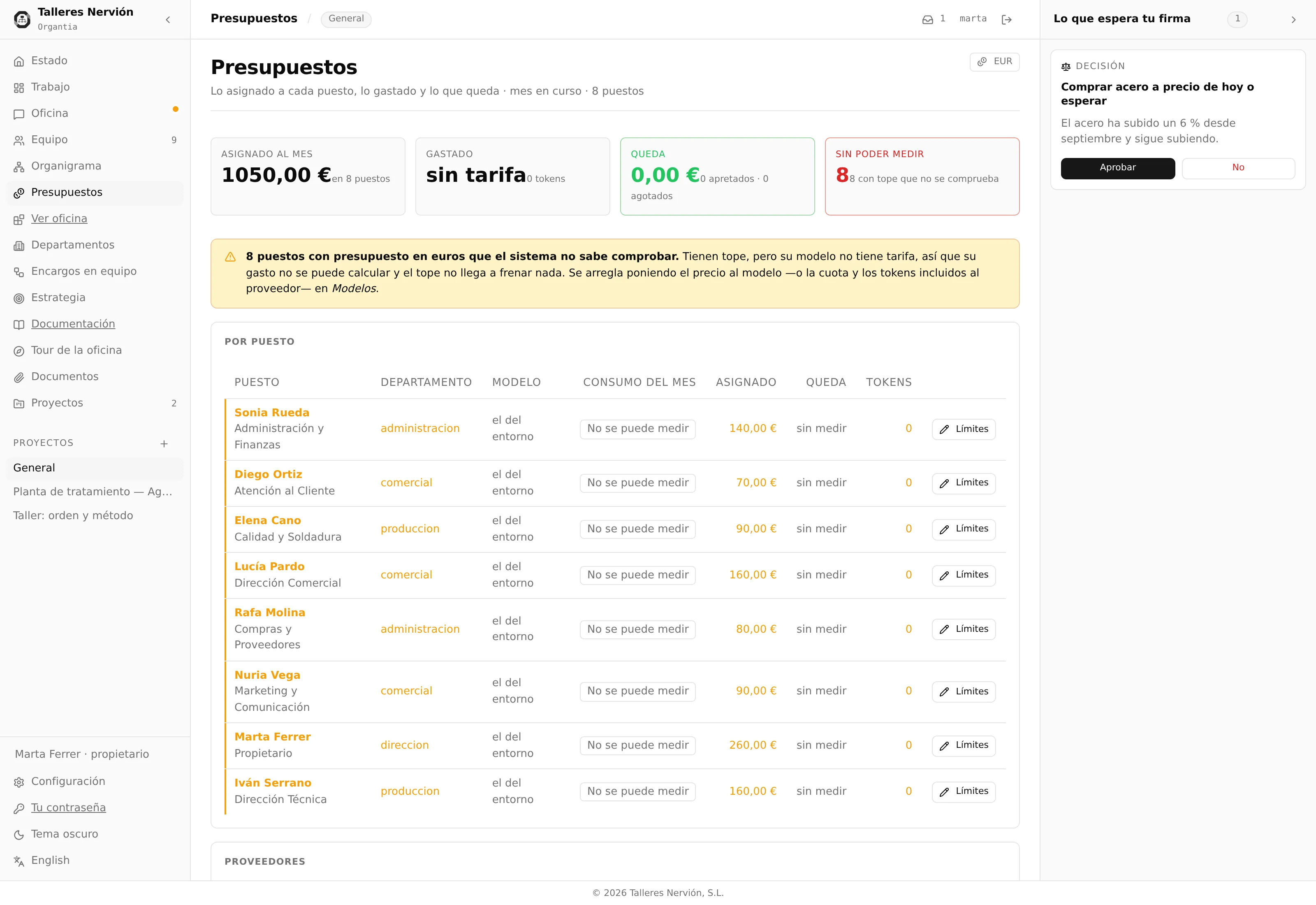
Every role has a spending ceiling, in the currency the invoice is paid in. When it gets close, it warns you; when it goes over, it stops. No end-of-month surprises.
Anything that costs money or leaves the company is not decided by an agent alone. It reaches you or the CEO, and nothing happens until someone signs it off.
Who asked for what, who approved it, with which model and at what cost. A history you can read end to end and cannot rewrite.
The whole application, in both languages, with one button. What your team wrote stays in the language it was written in.
How it works
A craft, its mission and how far it can go: what it decides alone, what it has to check and with what budget.
You write what you need, the way you would say it to a person. The role takes it, does it and hands it back with what it used.
Anything with consequences goes through you: spending, publishing, sending, changes. One button: approve or send back.
Every assignment, every decision and every euro stays in the log. It can be read; it cannot be rewritten.
The work
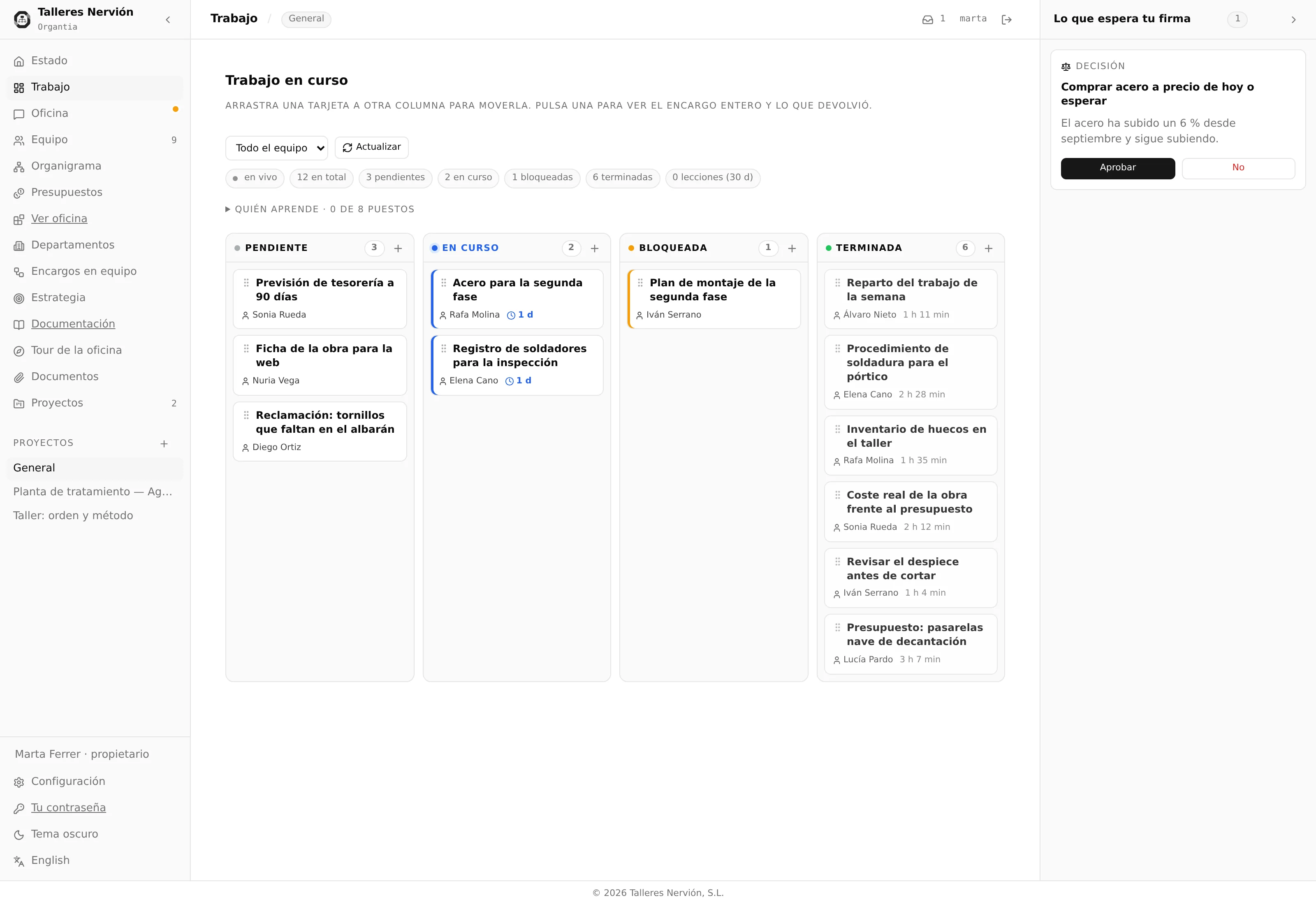
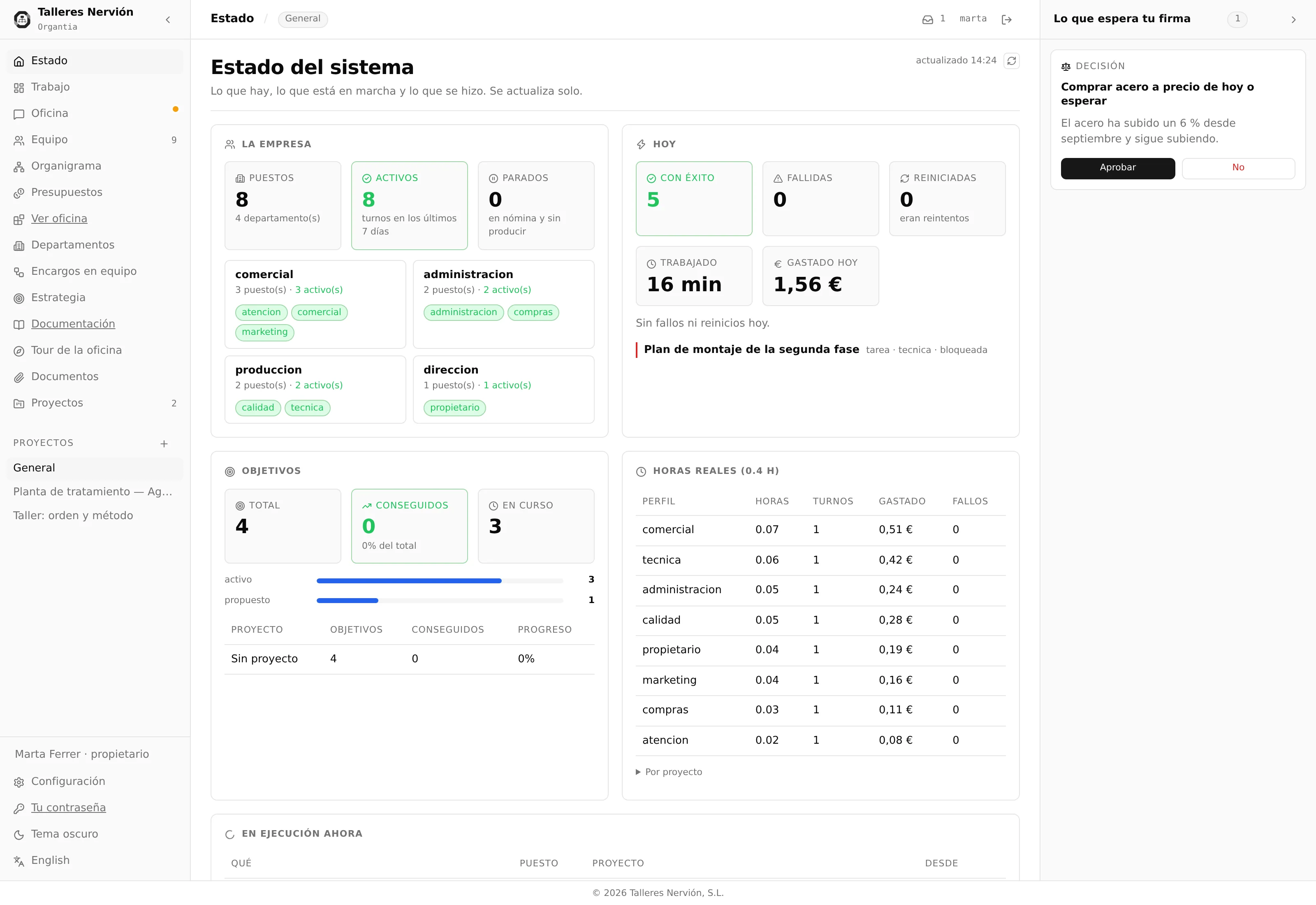
The board is the company in motion: what is pending, what is being worked on, what has stalled and what is finished. Every card says who has it and how long it took. No spreadsheet, no asking for a report.
On the right, what is waiting for your signature: spending, publishing and the decisions that need a person. One button to approve or send back, and the name of whoever signed stays on it.
Inside
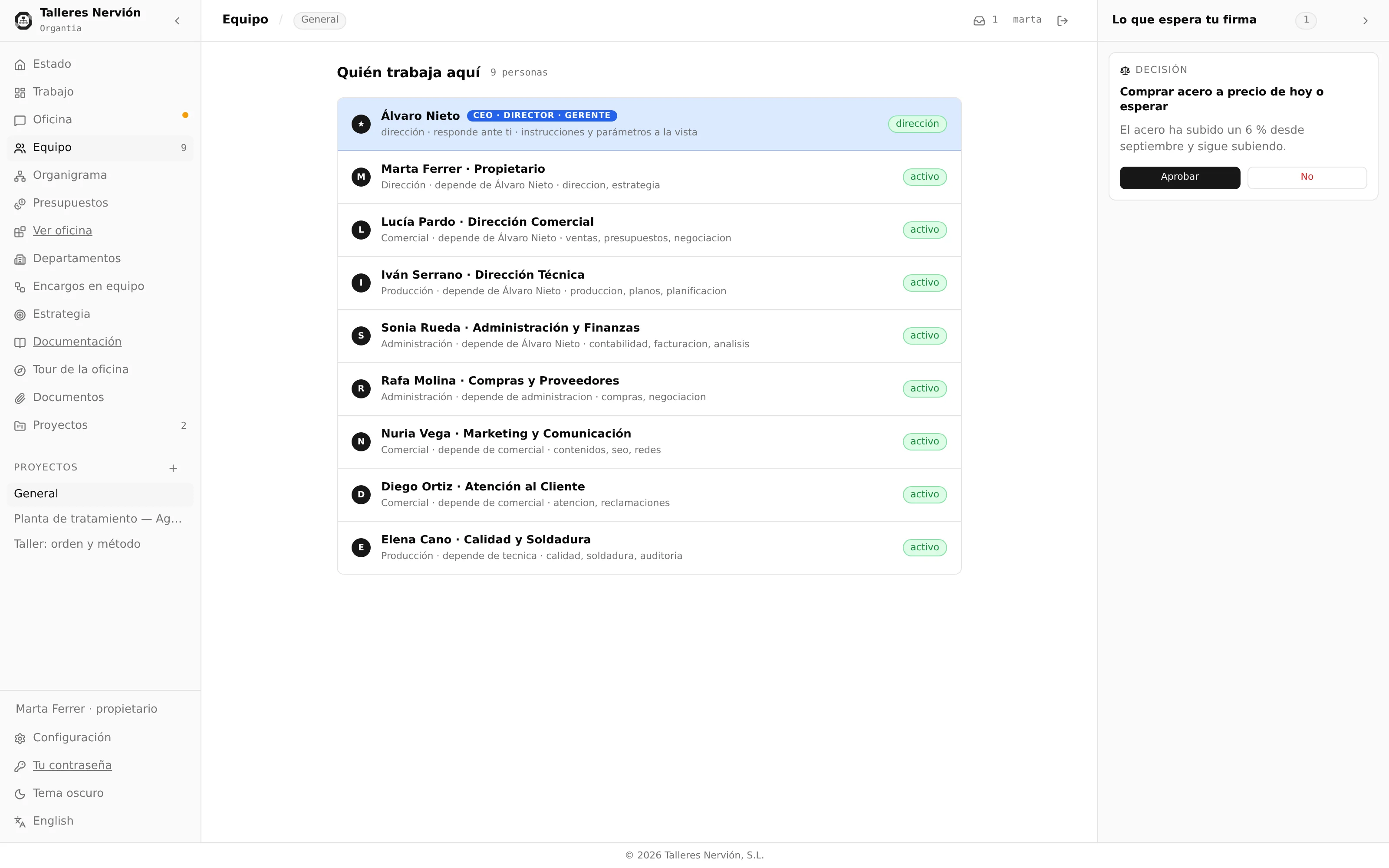
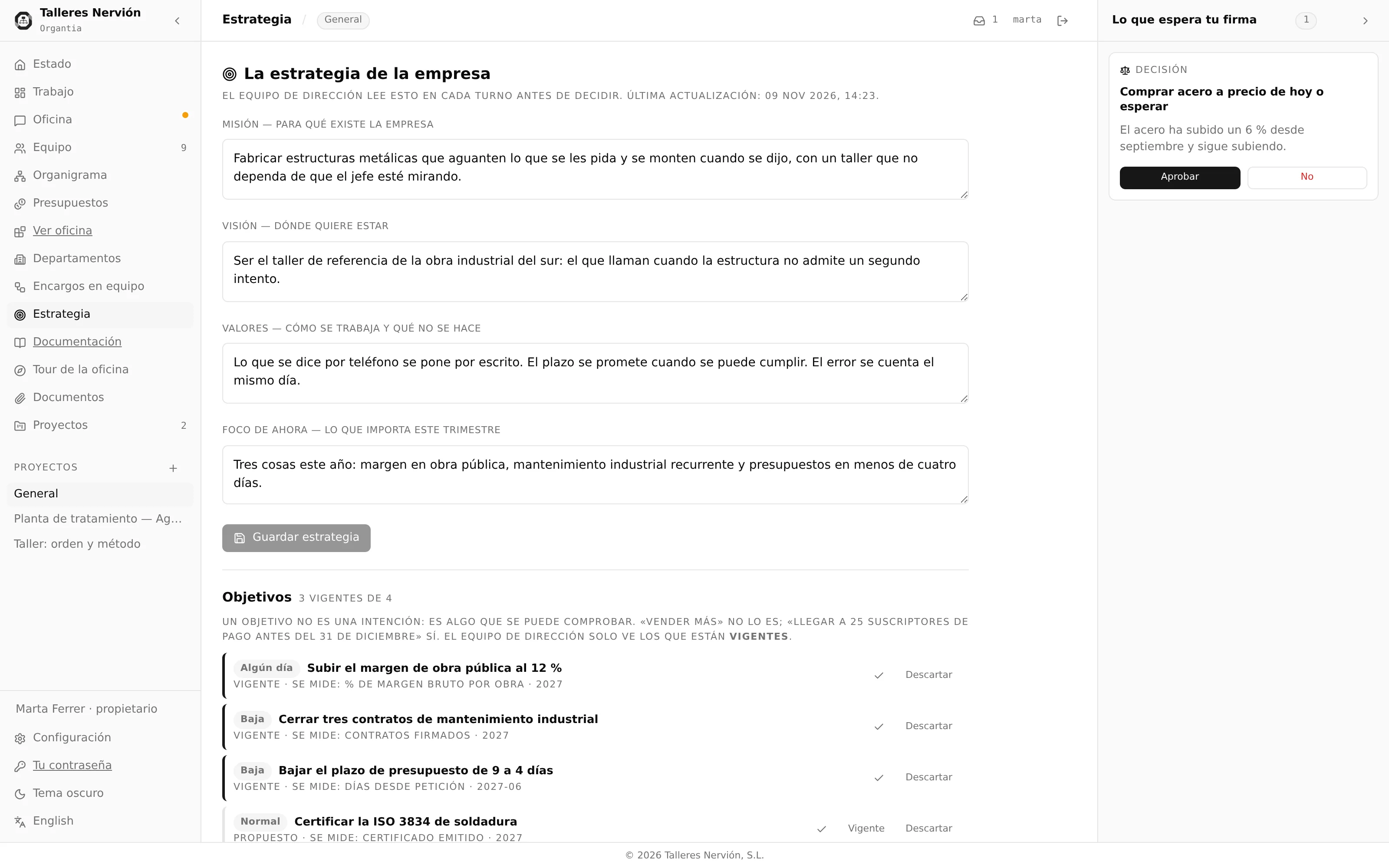
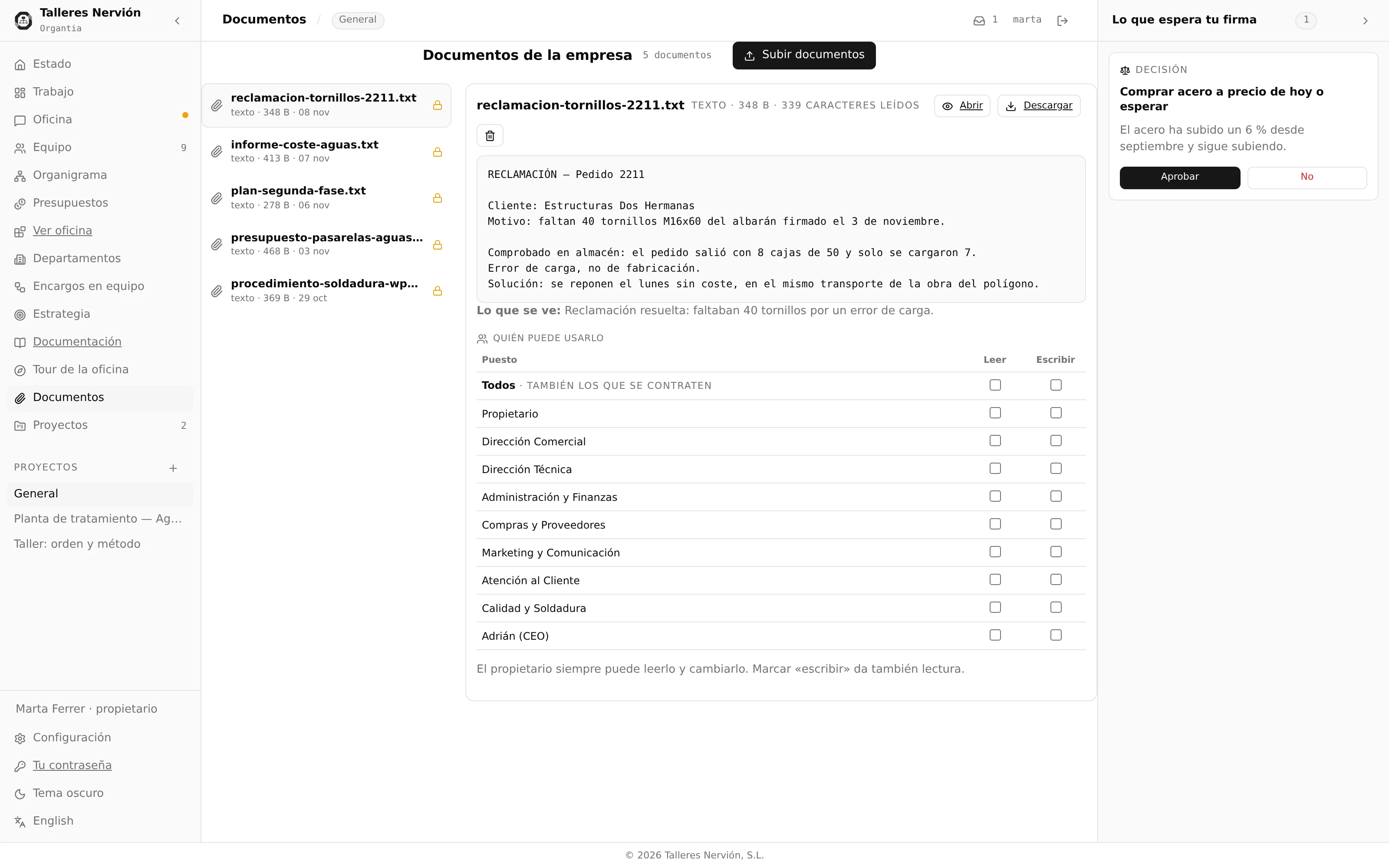
No mock-ups, no drawings: screens from a real installation, with a sample company. Everything you see can be opened and used in the demo.
Work that repeats
A report every Monday, the till check every afternoon, the monthly statement. You ask once, you approve once, and from then on it happens on its own. If it fails, it tells you; if it overlaps, it waits; it never does the same thing twice at once.
Any role can ask for its recurring task, with its time and its instruction. Anything that is not theirs is approved by leadership.
At the appointed time the role takes the assignment like any other. With its budget and its log entry.
If it fails, three attempts and a warning to the owner and the CEO. No silent retries all night long.
Questions
No. A chatbot answers when you talk to it. Here there are roles that hold a place, take assignments, have a budget, ask permission when it is needed and leave a record of what they do. Conversation is how the work gets done, not the product.
Yes. The demo is a real installation, with the office and the roles working, and there is nothing to install. We look at it together in a half-hour video call, with your questions on the table. No commitment and no sales pitch.
Every client has their own installation, with their own database and files, on servers in the European Union. It is not a shared service: nobody else sees your information. The backup is yours and is stored wherever you say.
It depends on the role and the position. The owner and the CEO command every role; the management team commands its own and the roles below it; a member, only their own. What is not yours does not show up in your menu, and even if you asked for it by another route, the server rejects it. There is also an administration account, invisible to everyone else, that exists to set the system up, not to work in it.
You pay per role and per use, and use is measured in euros: every role has a monthly ceiling and the system respects it. You can run one role on an expensive model and another on a cheap one without touching the rest of the company. In the demo we give you the figure for your roles, not an average.
Whichever you choose, per role. You connect providers with their endpoint and their key, and each role points at its own: one can run a large model to think and another a small one to summarise. Changing provider does not change the rest of the system.
Yes, through connectors: email, web services, your own tools. Every connector declares which actions it offers and every role uses only the ones it has been given. The demo catalogue ships 35 messaging and automation actions ready to use.
You can stop it, correct it and try again. Assignments that fail notify the owner and leadership, who decide whether to retry or delegate. The log says what happened and with what, so nobody has to guess. Nothing is lost along the way.
No. You use it like email: you write what you need and read what comes back. What does help is knowing what you want to delegate and what you do not, which is exactly what the demo is about.
Yes. The office, the board and the conversations work on a phone with nothing to install. The application is built to be read on a small screen: large buttons, text you do not have to zoom into.
The application is in Spanish and English, and you switch with one button. Conversations and documents keep the language they were written in: if your team writes in Spanish, it stays in Spanish even if you read the interface in English.
Your data is yours: the database and files of your installation can be exported and taken with you. There is nothing proprietary holding you in, and no format only Organtia can read.
Half an hour on a video call with the office in front of you. You leave knowing what can be delegated, which providers are worth connecting and what it costs to get it working. If it fits, it gets set up with your name and your data.